Install in one line
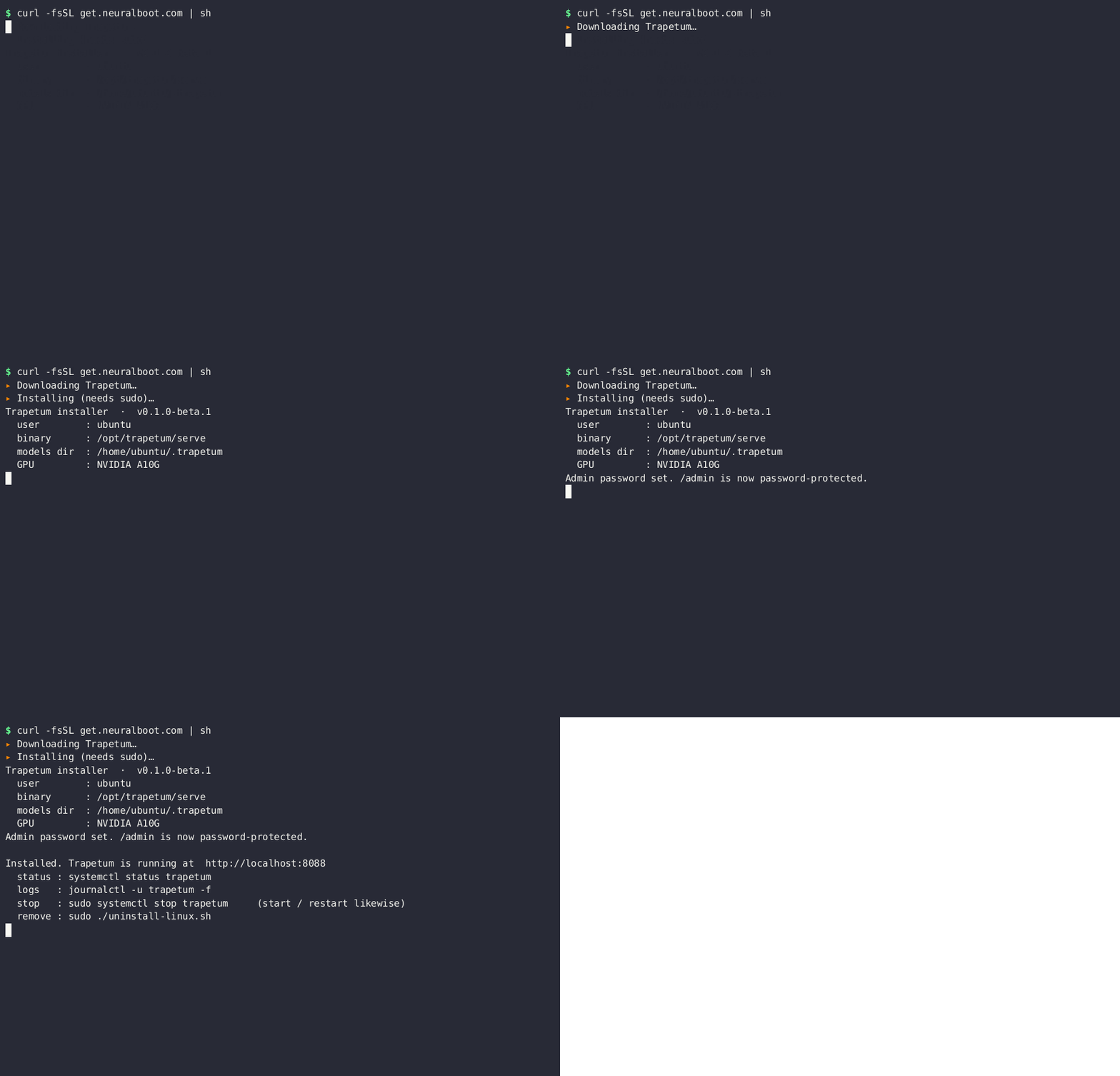
The installer downloads the server, detects your GPU, installs a background service, and starts on http://localhost:8088.
macOS runs on the Apple GPU (Metal, M1 to M4); Linux and Windows use an NVIDIA Ampere, Ada or Hopper card. Benchmarked on Apple M4, RTX 4090, A40 and H100.
curl -fsSL get.neuralboot.com/mac | sh
M1, M2, M3 or M4. Metal GPU, no Python. Or download the .tar.gz. · v0.1.0-beta.1
curl -fsSL get.neuralboot.com | sh
Ubuntu 22.04+, Debian, any systemd distro. Installs as a systemd service. · v0.1.0-beta.1
irm get.neuralboot.com/install.ps1 | iex
Run in PowerShell; a UAC prompt confirms admin, then it installs a background service. Prefer a wizard? Download the .msi or the portable .zip. · v0.1.0-beta.1
Uninstall anytime: irm get.neuralboot.com/uninstall.ps1 | iex (or Programs and Features).
Source available: read every line before you run it. github.com/neuralboot/trapetum
Headless Linux (no prompt): prefix with TRAPETUM_ADMIN_PASS=yourpass: a password you choose (not fetched from anywhere); it locks the admin panel. Interactive installs simply prompt you for it.
Why control is the security model
For sensitive or regulated data, a local plus source-available LLM is the only setup where you can actually prove what happens to your data. Control and auditability are not features here, they are the point.
- Your data never leaves. Prompts and outputs stay on your machine. No third-party API sees them, no cloud, no logging you do not control. The opposite of sending your data to a hosted model.
- The compression engine is source available. Read every line on GitHub. Verify there is no telemetry, no exfiltration, no backdoor. A closed binary you cannot audit is a risk you cannot measure.
- You own the whole chain. Build the binary from source, compress the models yourself, run fully air-gapped if you need to. Supply-chain trust by construction.
- It passes a security review. For health, legal, finance, defense or GDPR data, "the model runs on our hardware and we audited the code" is the answer that clears the room.
What you get
One small service on port 8088. Everything below runs locally, served from your own machine.
Private chat
A ChatGPT-style interface to talk to your compressed models. Pick a model, add more, all on localhost.
OpenAI-compatible API
/v1/chat/completions and /v1/models. Point any OpenAI client at your own server. Swagger docs at /docs.
API tokens
Generate and revoke Bearer tokens from the admin console. Lock the API to your apps only.
Admin settings
Port, network binding, CORS, rate limits, default model, prompt logging on or off, all admin-only behind a password.
Usage dashboard
Graphs of tokens per model, requests, compression rate and energy plus CO2 saved versus fp16, in real time.
Energy and CO2
Live grid carbon intensity at your location. Compressed 4-bit decode uses about 2.1x less energy than fp16.
API access
Drop-in OpenAI-compatible. Create a token in the admin console, then call your own machine.
curl http://localhost:8088/v1/chat/completions \
  -H "Authorization: Bearer trp_your_token" \
  -H "Content-Type: application/json" \
  -d '{"model":"qwen25-7b","messages":[{"role":"user","content":"Hello"}]}'
| Endpoint | What it does |
|---|---|
GET / | Chat interface |
GET /docs | Swagger API documentation |
POST /v1/chat/completions | Chat completion (OpenAI-compatible) |
GET /v1/models | List installed models |
GET /admin | Admin settings (password protected) |
GET /admin/dashboard | Usage and CO2 dashboard (admin only) |